Drive Companion: AI-Powered Cloud Intelligence.
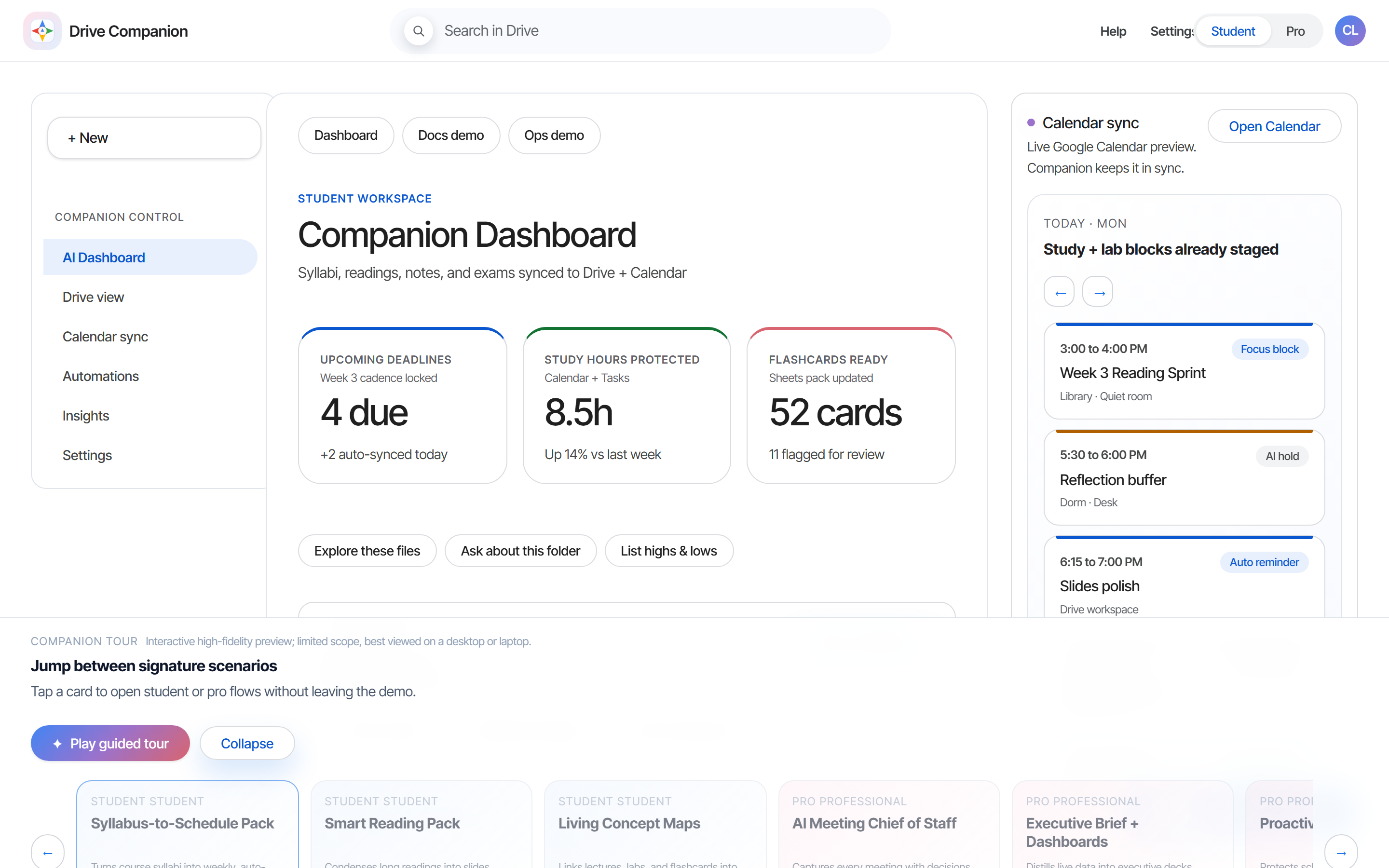
A high-fidelity prototype reimagining Google Drive as a proactive AI partner instead of passive storage. Six signature scenarios (Syllabus-to-Schedule, Smart Reading Pack, Living Concept Maps, AI Meeting Chief of Staff, Executive Briefs, Work Rhythm Optimiser) demonstrate how an embedded AI layer can replace the manual-upload chore that defines ChatGPT and Copilot. User research with 100+ students and professionals exposed the real lever: emotional benefits (anxiety down, confidence up) lift adoption far more than time savings alone.
6
signature scenarios
100+
users researched
$65.94B
AI market by 2032
2
personas served
Skills used
chapter 01 —
Passive storage, made proactive.
Google Drive Companion treats the Drive ecosystem as the substrate for AI, not a separate destination. Instead of asking users to upload files into ChatGPT or Copilot, Companion lives where the files already are: reading syllabi to schedule the semester, condensing PDFs into study packs, stitching meeting notes into action items, and surfacing context before deadlines arrive. The prototype is a full interactive demo across two personas (student, professional) and six core scenarios, designed to test whether an AI layer embedded inside Drive feels more natural than the upload-first competition.
chapter 02 —
The product gap, not the market gap.
The interesting question is not how big the AI productivity market is. It is what the existing players keep getting wrong. ChatGPT lives in a different tab from your files. Copilot is anchored to a single document at a time. Notion offers tools but asks you to maintain them. Across all three, the user is the one wiring up the connection between the AI and the work. Companion's product bet is that the next surface for AI is not "another tool you call when you need it" but "an assistant that lives inside the place your work already lives." Everything that follows (the persona model, the consent flow, the six scenarios, the in-Drive surface) comes from that single product premise.
chapter 03 —
Product decisions.
The decisions behind the work and the reasoning for each.
Resource-Based View · VRIN —
Build in-house, not buy or partner.
Run through VRIN, Google's combination of custom TPU infrastructure, deep Workspace integration, DeepMind/Google Research, and existing user trust is valuable, rare, inimitable, and non-substitutable in combination. Any external partner has one or two of those legs, never all four. An integration deal would also hand the same structural advantage to whichever competitor signed the next quarter. The make decision is not about cost; it is about which moat compounds.
People-centric, not file-centric.
Copilot anchors to documents. ChatGPT anchors to prompts. Both leave the user wiring up the connection between their work and the AI. Companion anchors to what the user is actually trying to accomplish (survive a semester, run a project, prep for a meeting) and pulls the relevant files in from that intent. Same kind of AI work, but the entry point is a person, not a file. Every scenario in the prototype (Syllabus-to-Schedule, Meeting Chief of Staff, Work Rhythm Optimiser) starts from a goal, not a file selection.
Permission-first onboarding.
User research showed 70% comfort with AI summarization, conditional on transparency. So Companion activates one scenario at a time during onboarding with explicit per-folder consent, and a visibility dashboard shows current access at any time. The slower start hurts day-one activation metrics, but on a product where trust is the long-run constraint, retention beats activation. Blanket scanning of all Drive content was on the table and would have been faster to implement. It would also have killed the product on the first privacy headline.
Single product, dual persona.
A "Companion for Education" and a "Companion for Work" were both on the table. The catch: many users move between personas. A graduating student becomes a professional in twelve months; an exec takes an online course in the spring. Splitting the product would force a migration at exactly the moment the user is already context-switching. One product with persona detection (student / professional) retains the user across the transition and keeps a single codebase to evolve.
Embedded in Drive, not a standalone app.
A separate "Drive Companion" app on iOS and Android was the easy default. But the entire pitch is that Companion lives where the files already do. The moment it becomes a separate app, it inherits the upload chore that defines ChatGPT and Copilot. Embedded means Companion shows up inside the Dashboard, the doc preview, the sheet sidebar, the meeting summary card. Mobile happens because Drive happens on mobile, not because Companion ships a new app.
Mirrors Google One tiers —
Three-tier pricing with a free trial.
Basic at $4.99 makes student adoption frictionless and matches the price point students already pay for Spotify, YouTube Premium, etc. Plus at $9.99 unlocks the multimodal study features (reading packs, flashcards, deadline-aware prep) that justify the upgrade once a student feels the workload. Pro at $19.99 reserves the AI Meeting Chief of Staff, dashboard generation, and risk alerts for professionals where the ROI clearly absorbs the price. A 1-month free trial across all tiers lowers the risk of paying for something the user has not learned to trust yet.
chapter 04 —
Key findings.
70%
Privacy gates the entire AI relationship
70% of respondents were comfortable letting AI summarize their files, but only with explicit consent. Trust required clear permission flows, a simple visibility dashboard, and per-feature opt-in. This shaped the onboarding: users activate only the scenarios matching their goals, with file-by-file scope control instead of blanket Drive access.
2 personas
Students and pros share the same pain
Information overload + tight deadlines is the universal complaint. Students stress over syllabus shifts, multi-course juggling, and unfamiliar reading volume. Professionals report meeting overload, scattered action items, and the hidden cost of context switching. The remedy is identical: proactive organization, not reactive search.
Emotion
Anxiety reduction beats efficiency every time
When ranking feature value, users consistently picked the scenarios that prevented last-minute panic over the ones that promised speed. Deadline-Aware Exam Prep and Meeting Chief of Staff topped both lists, not because they save more minutes, but because they remove the worry that something will fall through the cracks. The brand position is calm and confidence, not just productivity.
0 uploads
Embedded beats standalone
ChatGPT and Notion offer more raw capability but require manual setup and ongoing care. Companion's "no uploads required, runs where your files already live" pitch tested significantly higher than feature-rich rivals in desirability scoring. Users want intelligence that adapts to existing habits, not a new app to maintain.
chapter 05 —
Key features.
The signature product moments. Each one is a complete scenario the prototype demonstrates end to end.
feature 01 —
Syllabus-to-Schedule Pack.
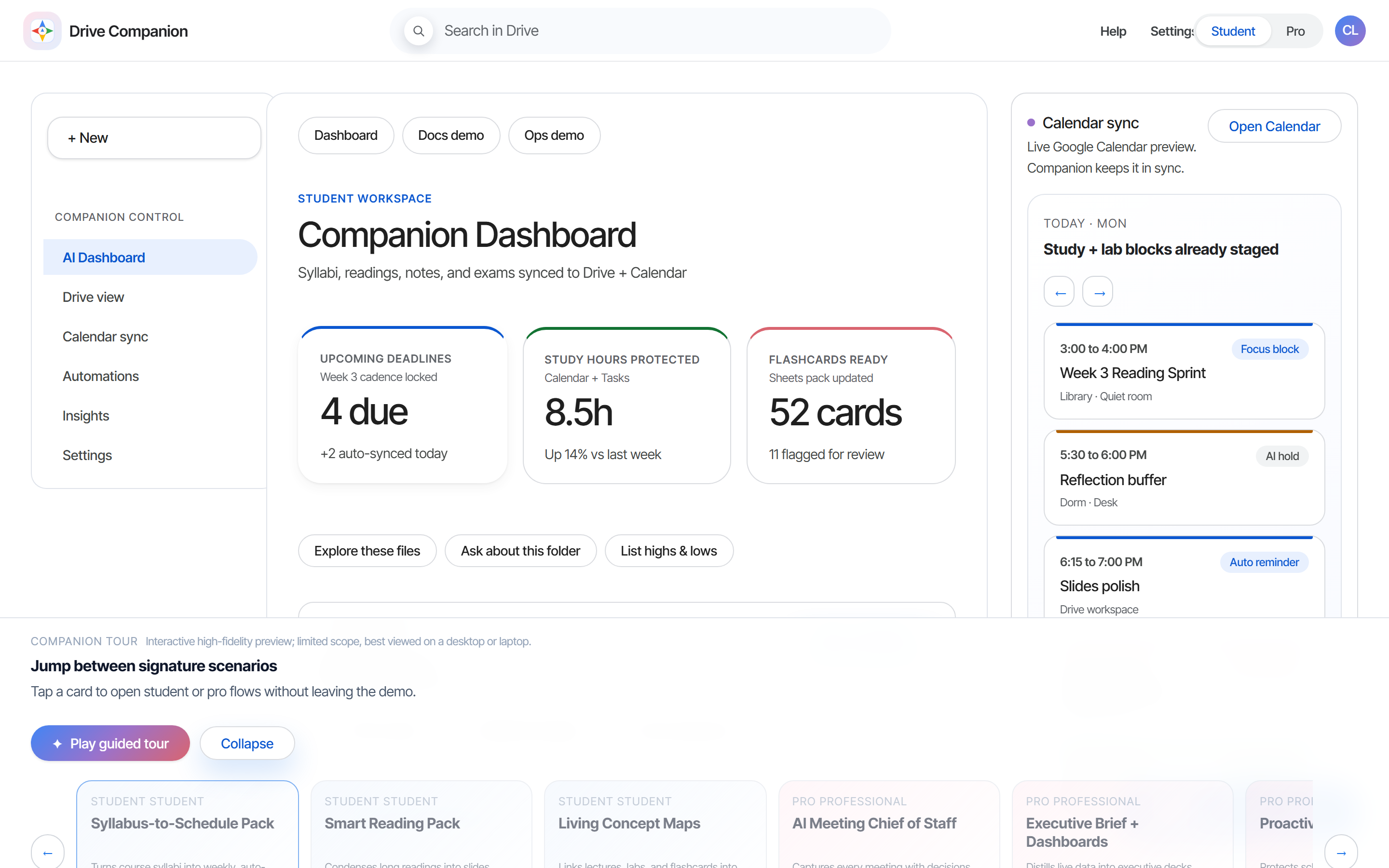
Parses a course syllabus and generates a week-by-week folder structure, populates Google Calendar with every deadline, and stages a structured to-do list. If the instructor shifts a date, Companion rebalances the entire semester and notifies the student.
feature 02 —
Smart Reading Pack.
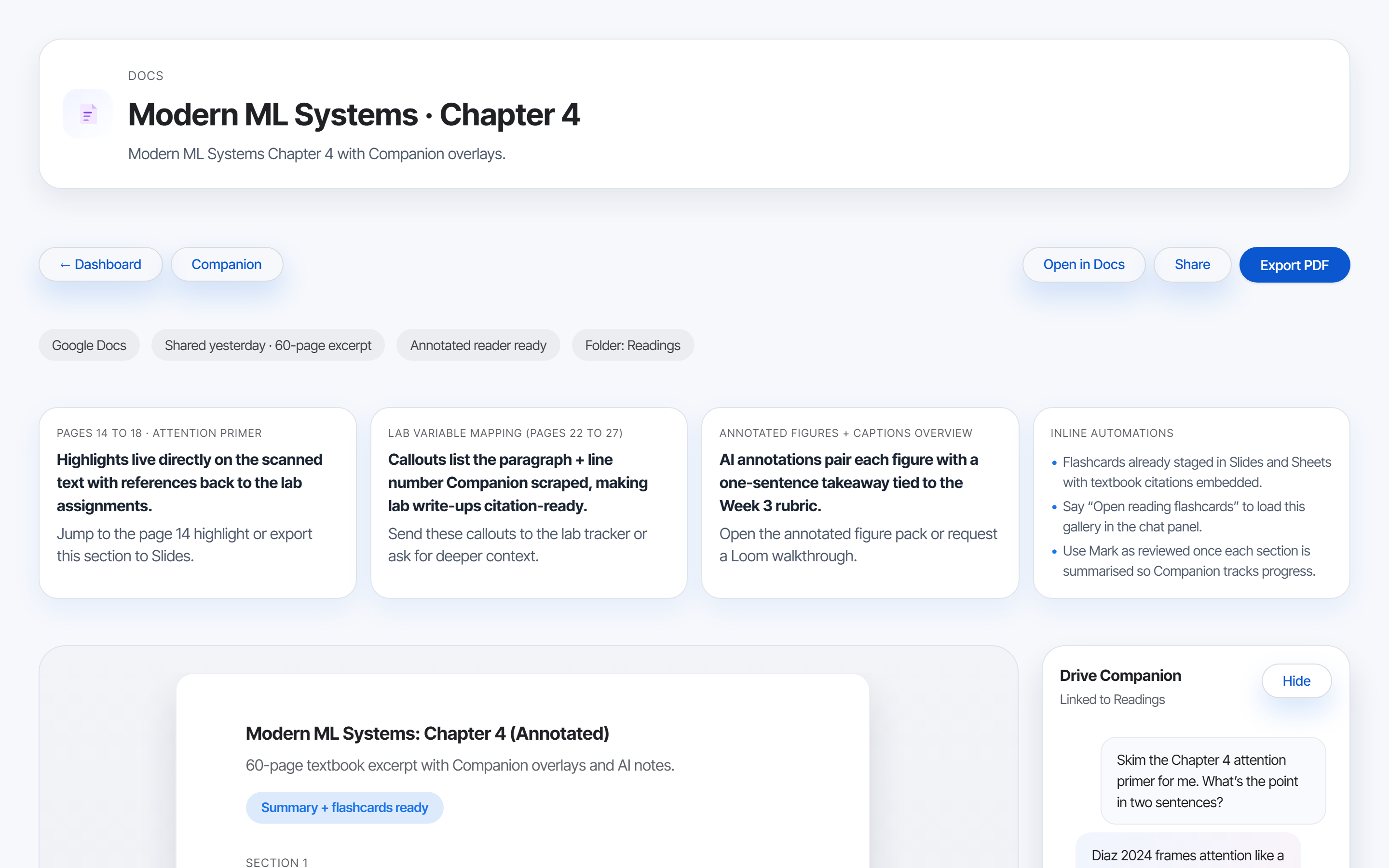
Converts dense PDFs into the format the student actually wants: a one-page summary, a slide deck for skim review, or a flashcard set staged in Sheets. Pick a modality; Companion stages it inside the same folder.
feature 03 —
Living Concept Maps.
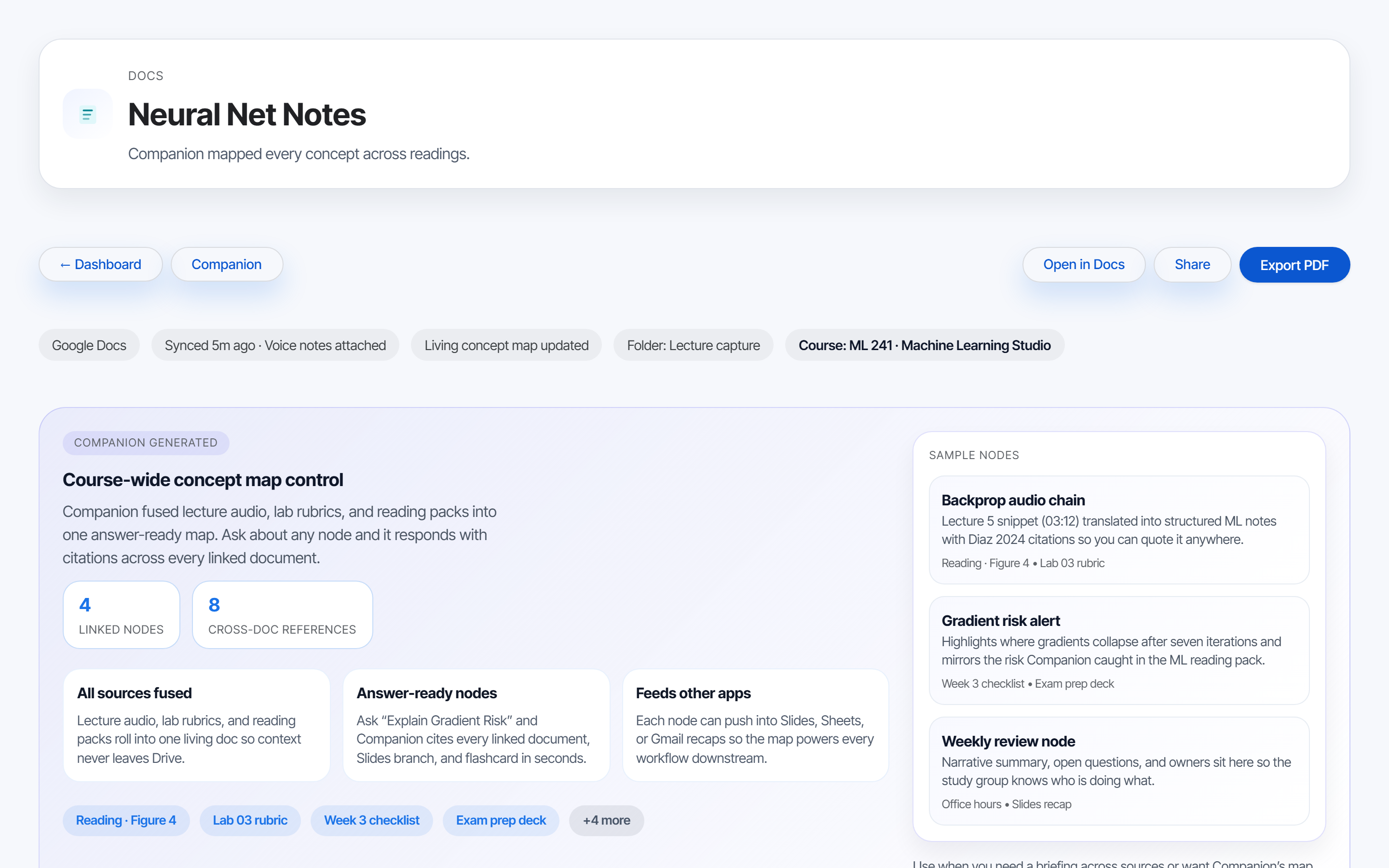
Stitches lecture notes, readings, and lab outputs across a course into a single living concept map. Updates automatically as new files land in the course folder, so the map reflects the most recent understanding.
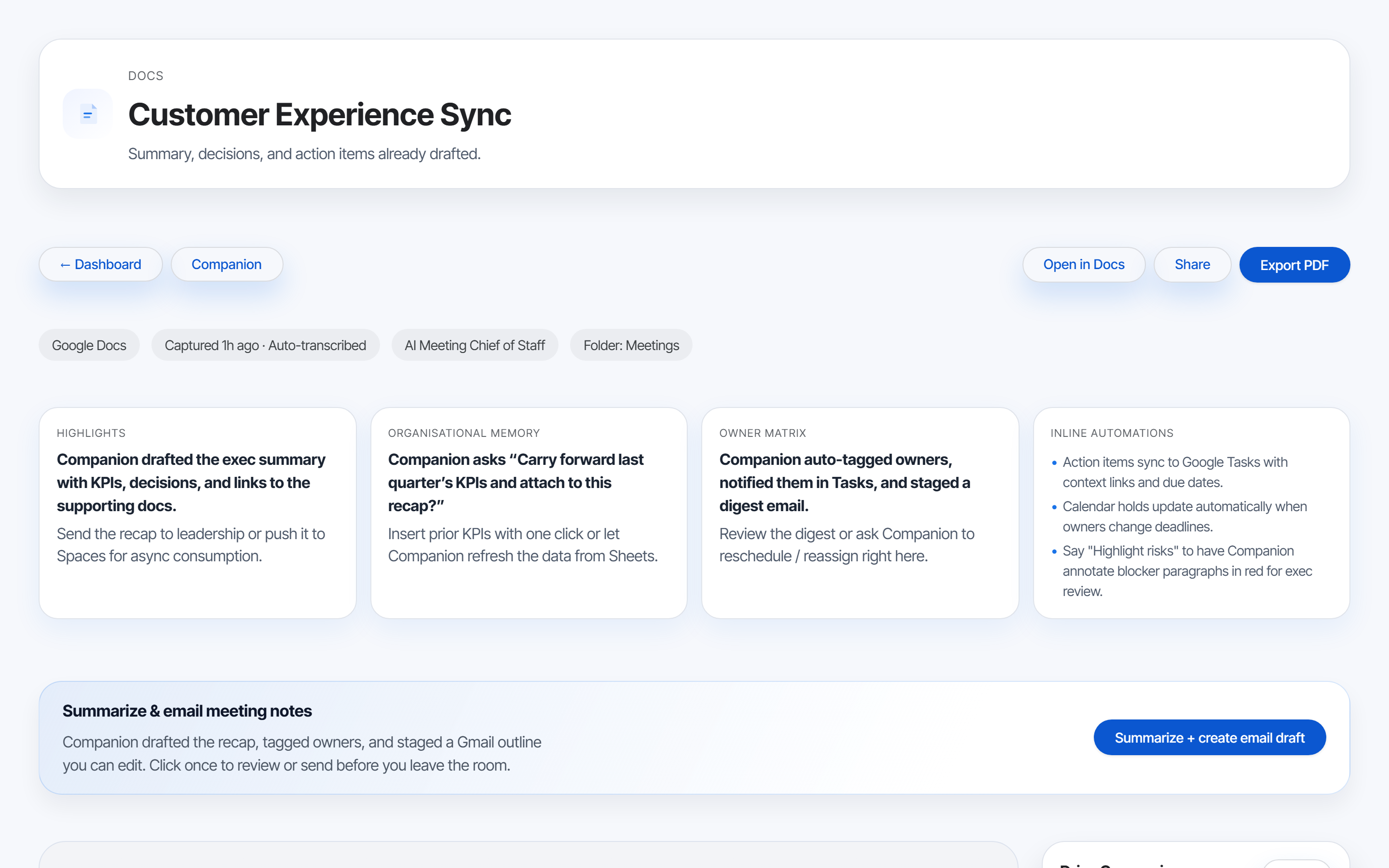
feature 04 —
AI Meeting Chief of Staff.
During and after a meeting, Companion captures decisions, action items, owners, and next steps; drafts the follow-up email; updates the project tracker in Sheets; and schedules deliverable reminders. The user reviews, edits, sends.
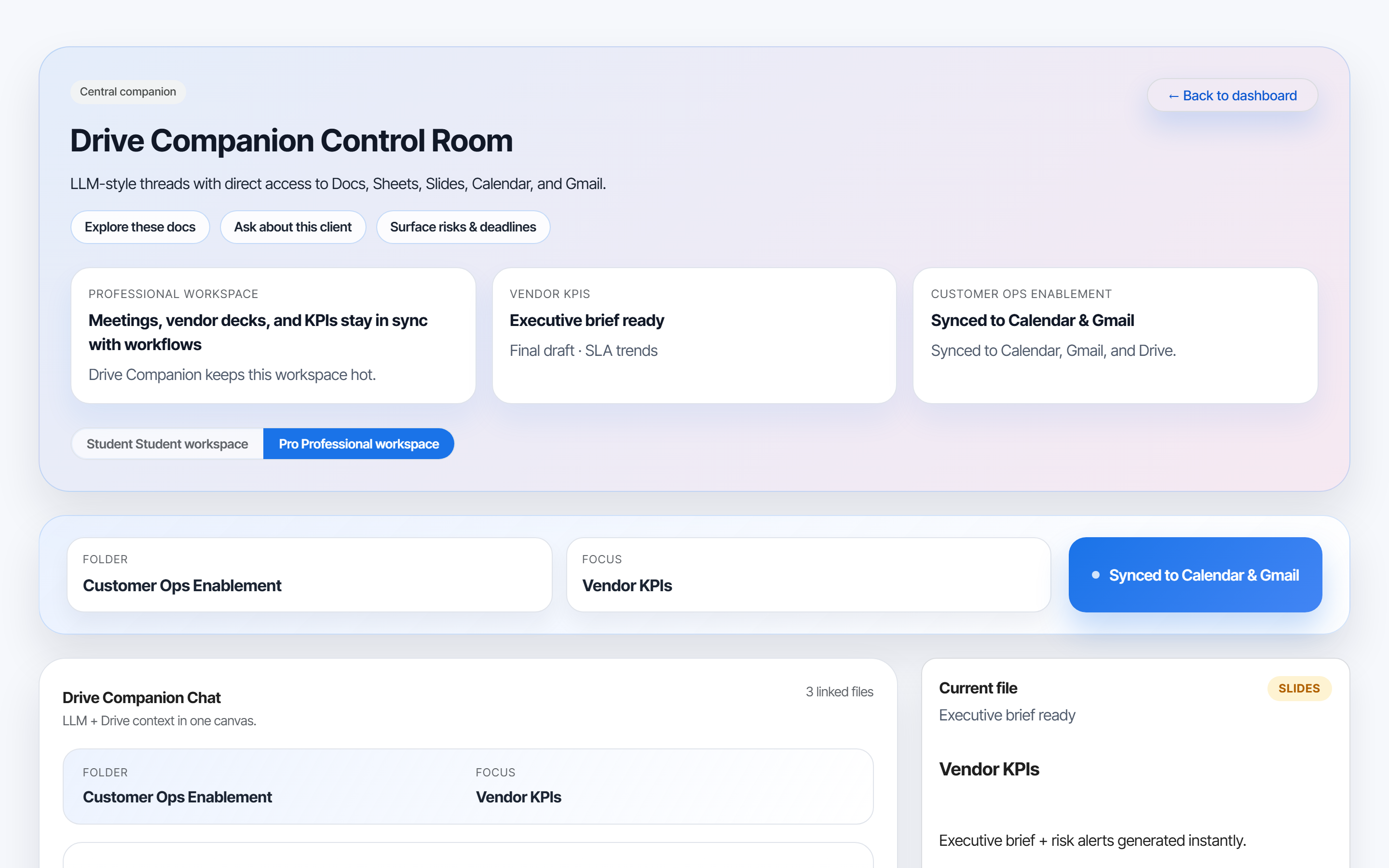
feature 05 —
Executive Briefs.
Takes scattered slide decks, status docs, and KPI sheets and distills them into a leadership-ready brief. Companion summarizes risks, surfaces decisions needed, and pre-drafts the talking points before the next exec review.
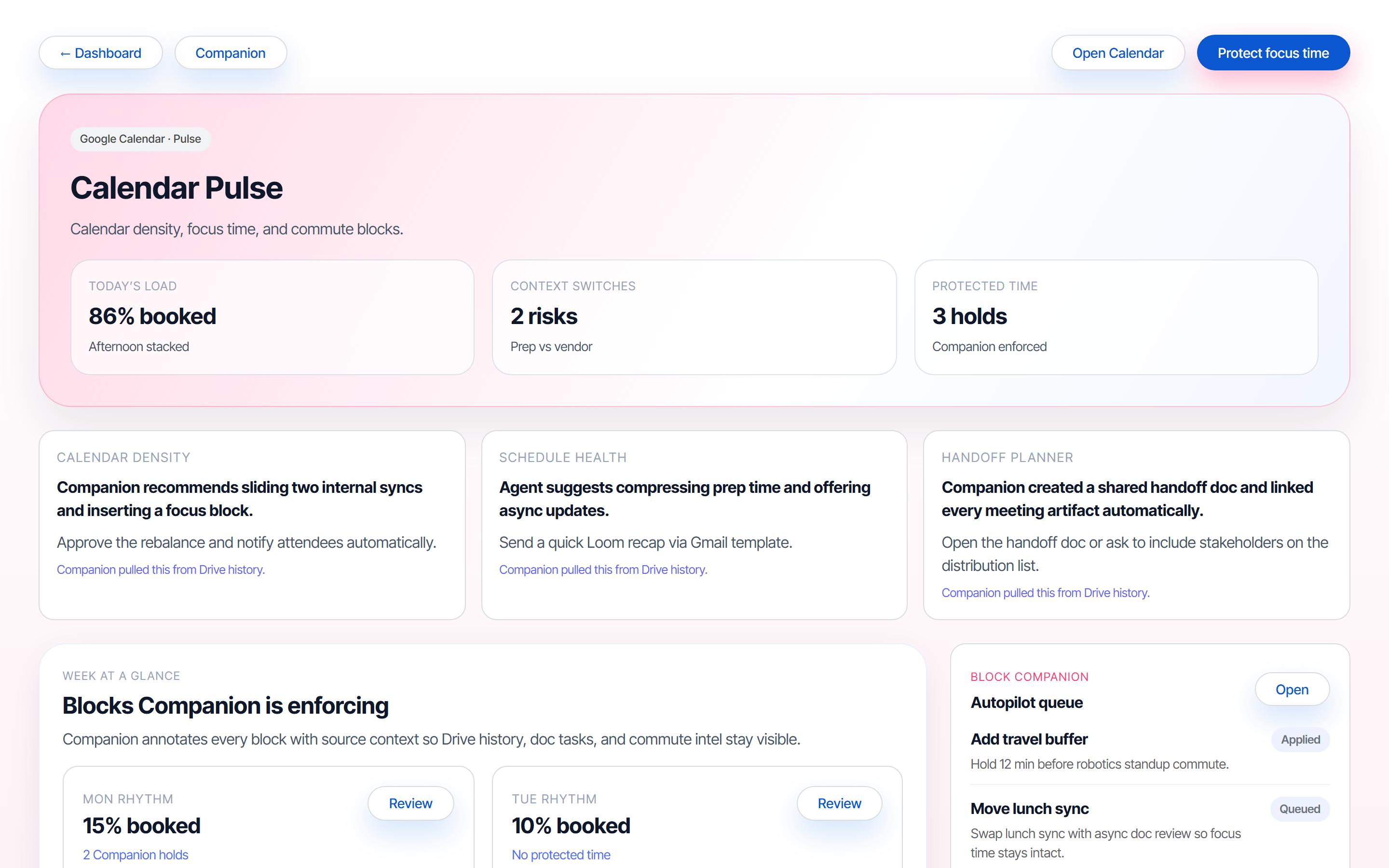
feature 06 —
Work Rhythm Optimiser.
Reads calendar patterns to find overloaded days, blocks protected focus time for deep work, and suggests micro-shifts before burnout shows up. Flags compressed deadlines and meeting fatigue to managers as a signal, not an interruption.
chapter 06 —
Tools & technologies.
Google Gemini
Powers summarization, structured extraction, and natural-language interactions. Multimodal context across Docs, Sheets, Slides, and Calendar without leaving the Workspace surface.
Figma + Vite prototype
Two-stage design: Figma high-fidelity flows for stakeholder validation, then a React + TypeScript + Vite interactive prototype that handles persona toggling, scenario walkthroughs, and the live demo.
Product frameworks
VRIN (Valuable, Rare, Inimitable, Non-substitutable) for competitive advantage, Resource-Based View for build-vs-buy, and Keller's CBBE for brand positioning vs ChatGPT, Copilot, and Notion.
User research
Qualitative interviews with students and professionals, quantitative surveys on feature desirability and privacy posture, plus usability sessions on the prototype. Findings drove feature prioritization and the consent-first onboarding flow.
Workspace integrations
Native APIs into Drive, Docs, Sheets, Calendar, and Meet. Permissioned file access, deadline sync across products, and inline insights inside the surfaces users already work in.
chapter 07 —
Where the product lands strategically.
Drive Companion proposes a strategic shift: cloud storage stops being a passive vault and becomes the active surface for AI productivity. By embedding intelligence inside the platform that already holds a billion users' most important documents, Google removes the upload chore that defines its competitors and locks in a structural advantage the standalone AI players cannot replicate.
Projections in the deck estimate 3M paid users in Year 1 (≈$324M revenue) and 9M in Year 2 (≈$971M), built on the existing Drive base rather than a cold-start audience. The VRIN analysis ratified the moat: TPU infrastructure, deep Workspace integration, and existing user trust are the three legs of a defensible position.
The project also rewired my own product instincts. User research showed that emotional benefits, feeling calm, supported, and unworried, drive adoption far more reliably than functional efficiency. That re-framed every downstream choice: feature priority, scenario copy, onboarding language, and the brand voice itself.
chapter 08 —
What this prototype is, and what it isn't.
the honest caveats —
- High-fidelity interactive prototype, not a production product. Scenarios are scripted demos, not live AI calls against real user files.
- User research was qualitative-leaning (100+ participants across surveys and interviews), not a representative panel. Findings indicate direction, not population-level truth.
- Financial projections in the deck are modelled estimates based on Drive's existing scale and analogues like Copilot, not committed forecasts.
- Privacy and consent UX is designed but not security-audited. Production would need formal review for data residency, retention, and per-file ACL semantics.
- The prototype assumes Drive-native deployment. A standalone version would need to solve the upload problem differently and would lose much of Companion's structural advantage.